
‘Spray and pray’ might work for a villain with a machine gun in an action movie, but it’s a bloodbath for your haunt’s marketing strategy. Treating your email list like a victim…hacking away indiscriminately at everyone in sight…is the fastest way to kill your engagement.
While email “blasting” (sending marketing emails to your entire list of subscribers instead of segmenting them into smaller groups) is better than leaving your marketing dead and buried, it’s often the least effective way to communicate. Why? Because your victims—er, customers—aren’t all the same. The die-hard haunt fanatic who buys a Speed Pass in August needs a different message than the terrified local who is waiting for a coupon code on Halloween night.
Today we’re diving into Email Segmentation: the art of targeting your victims so effectively, they won’t know what hit them.
Why “Blasting” Kills Your Conversions
When you send the same generic email to every soul in your database, two things happen:
- Your open rates die. If a customer gets three emails that don’t apply to them, they’ll ghost you by the fourth one.
- You miss the upsell. You can’t convince a General Admission ticket holder to upgrade to a VIP Speed Pass if you’re sending them a generic “Get Tickets Now” email. They already have tickets!
3 Segments Every Haunt Needs
You don’t need to be a mad scientist to start segmenting. Start with these three simple buckets:
1. The Survivors (Past Attendees) These people survived your haunt last season but haven’t purchased tickets for this year yet.
- The Message: “We’re back… and scarier than ever. Here is a loyalty discount code for returning victims.”
- The Goal: Retention (bringing them back from the dead).
2. Fresh Meat (Current Ticket Holders) These people have already committed to the scare. They have tickets for an upcoming night.
- The Message: Stop asking them to buy tickets! Instead, send them your digital waiver, parking info, or try to upsell them on merchandise, concessions, or Skip-the-Line upgrades.
- The Goal: Increasing revenue per head (and making the line move faster).
3. The Lurkers (Newsletter Subscribers) These are people who signed up for updates but have never bought a ticket. They are watching from the shadows.
- The Message: Social proof. Show them videos of people screaming their heads off. Give them FOMO (Fear Of Missing Out).
- The Goal: Conversion (getting them to commit).
How to Segment with HauntPay (Right Now)
At HauntPay, we give you the tools to slice and dice your data however you want. Here is how to handle your lists today:
1. Warning Your Current Victims
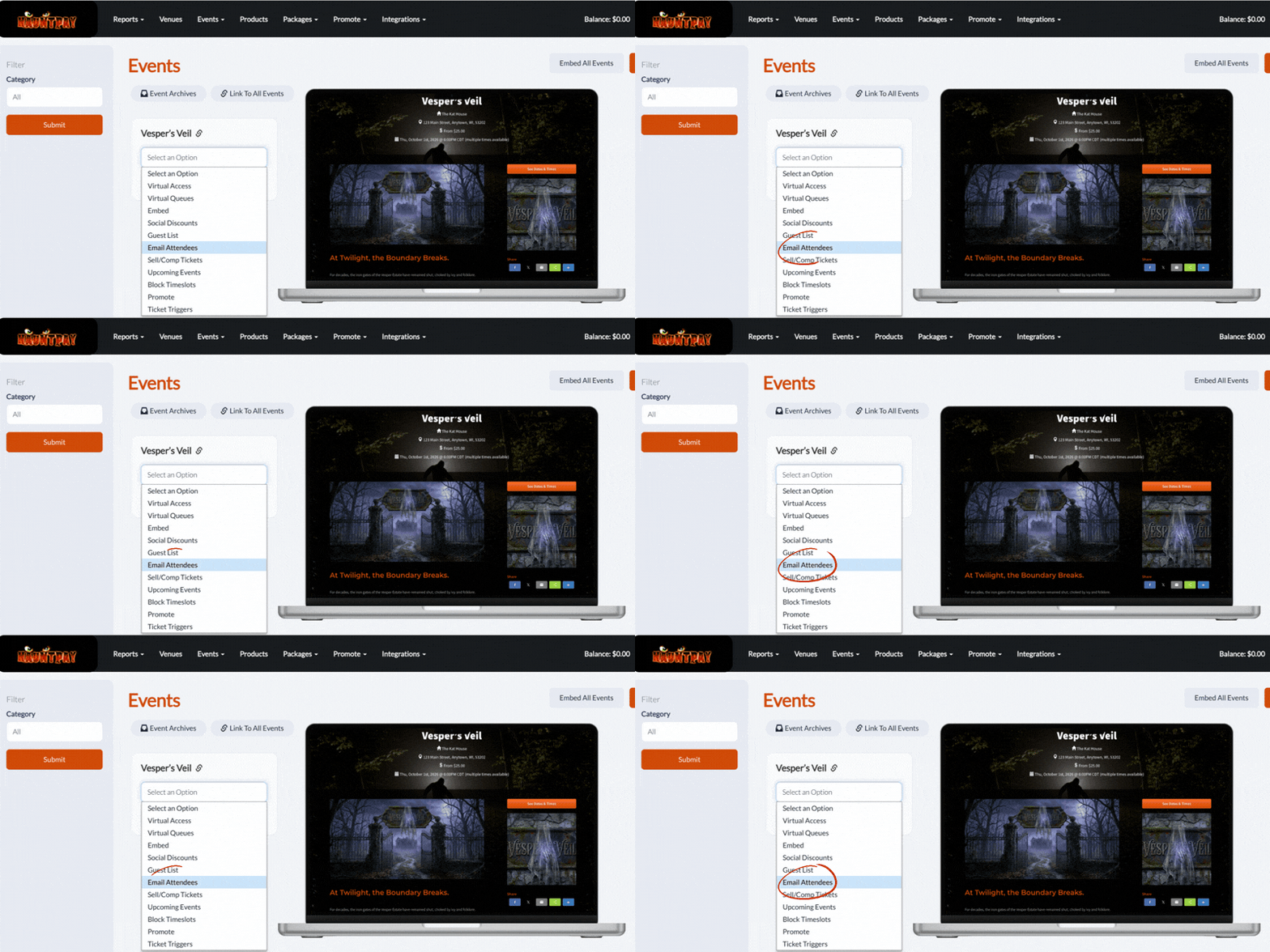
Need to tell tonight’s crowd about a rain delay or a parking change? You can email ticket purchasers for any upcoming time slot directly through the HauntPay admin panel. This is perfect for logistical updates to ensure your queue line doesn’t turn into a riot.
2. Frankenstein-ing with Zapier
HauntPay integrates seamlessly with Zapier, allowing you to automatically sync your customer data with email platforms like Mailchimp or Constant Contact.
- Set it and forget it: Set up a “Zap” so that every time someone buys a ticket on HauntPay, their email is automatically zapped into a “2026 Victims” list in your email software.
3. The CSV Autopsy
Prefer to get your hands dirty? You can always export your customer data to a CSV file from your HauntPay dashboard. This allows you to filter out the zombies from the living (e.g., sort by ticket type) and upload that specific list to your email marketing tool for a laser-focused campaign.

⚰️ Unearthing Soon: Built-In Email Marketing
We know that moving data between platforms can be a nightmare. That’s why we are dying to announce that a brand new email marketing feature is coming soon to HauntPay!
Very soon, you won’t need to export CSVs or rely on third-party integrations to summon your customers. You will be able to email any past or future attendees directly within your HauntPay dashboard. Whether you want to blast a newsletter to everyone or send a targeted warning to last year’s VIPs, you’ll be able to do it all in one place.
Stay tuned—we’ll be digging up more details on this launch very soon!