

Ready to turn your nightmares into a lucrative reality? At HauntPay, we know that running a haunted attraction is more than enough of a scream. You shouldn’t have to battle a monstrous ticketing system, too!
Whether you’re selling tickets online or haunting the front gates for in-person sales, our platform is designed to be scary simple. Here is your blood-red carpet guide to getting up and running in record time.
Complete Your Zombie-Proof Setup in Minutes
You don’t need a crystal ball to see your future success. You can go from “under construction” to “open for business” in less time than it takes to apply theatrical makeup.
- Sign Up (1 Min): All you need is an email address to create your free account and unlock your HauntPay dashboard.
- Activate Payments (5 Min): Tell us where to send your “blood money”! Securely connect your business bank account so you can get paid lightning-fast (typically 1-2 business days after every sale).
- Set Up Tickets (30 Min): Follow the simple prompts under “Create Event” to build your listings. Feeling buried? Schedule an onboarding call, and we’ll handle the heavy lifting for you.
- Start Selling: Hit “Publish” and share your unique link on your website and social media to start the feeding frenzy.
Scary Simple In-Person Sales & Scanning
When the moon rises and the fans arrive, you need a way to process the hordes quickly.
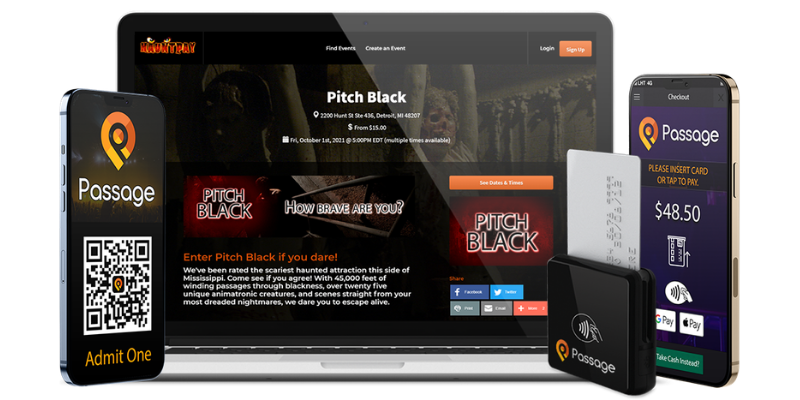
- Download the “Passage Manager” App: Available for Android and iOS, this is your primary tool for scanning and selling tickets at the door.
- Arm Your Staff: Order your free card reader at Shop.GoPassage.com using the code SCAREME.
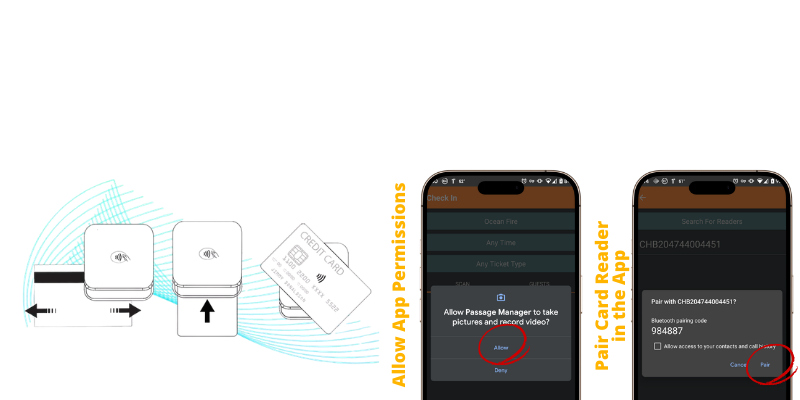
- Pair with Precision: Open the app and navigate to Settings > Sales Settings > Bluetooth Reader Setup. Remember: do not connect through your phone’s standard Bluetooth settings; keep the connection within the app to ensure it’s “zombie-proof”.
- Tap, Swipe, or Insert: Once you see the “Insert/Swipe/Tap” message on your checkout screen, you’re ready to take payments.
Features to Die For
We’re more than just a gateway; we’re your partner in promotion. As you grow your haunt, take advantage of our built-in features:
- Local Event Promotion to reach nearby victims… er, fans.
- Referral Codes and Widget Builders to make sharing your event effortless.
- COMING SOON! Email Marketing to keep your audience looking over their shoulders.

Need a Hand? (Or a Brain?)
If you run into any ghoulish glitches, our guaranteed zombie-proof support is here to help.
- Call: 877.339.FEAR
- Email: help@hauntpay.com
- Chat: Right from your HauntPay dashboard
