
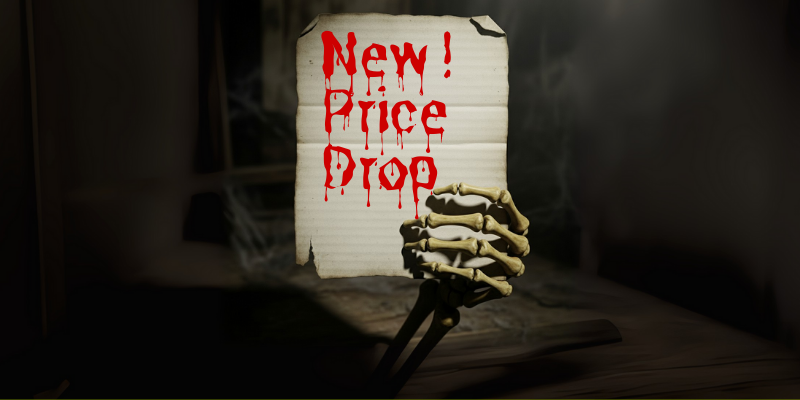
Dynamic pricing is a powerful tool to increase revenue and attendance at your haunt. It’s not just about raising prices when demand is high, it’s about using triggers to strategically adjust prices based on factors like time, quantity, or day of the week. This allows you to fill more seats, manage demand, and sell out your haunt completely.
Haunted attractions have a unique opportunity to use dynamic pricing to their advantage. Not only can it help you maximize revenue, but it can also help you manage crowd flow on your busiest nights, making for a better guest experience.
Here are seven terrifyingly effective dynamic pricing models to help you sell out your haunt.
1. The “Last-Minute Scare” Model
This strategy is all about filling those final spots and making sure your haunted house is completely sold out. It’s the opposite of an early-bird special and can be a powerful tool for squeezing every last scream out of your ticket sales.
✅ How it works: Set up a trigger that automatically lowers the price of remaining tickets a specific number of hours before the haunt opens. This is perfect for nights when a few empty slots at showtime mean lost revenue.
🎃 Why it’s smart: Instead of letting tickets go unsold, you can make a final push to fill the house. This appeals to people who are comfortable with spontaneous plans and are looking for a deal.
🔎 What the “Last Minute Scare” looks like in practice: A haunted corn maze could set a trigger to lower the price of all remaining tickets by 25% two hours before the event starts. This ensures every ticket has a chance to be sold, even at a reduced rate.
2. The “Fill the Off-Nights” Model
Not all nights are created equal. This strategy helps you boost attendance on less popular days by making them more attractive to a wider audience.
✅ How it works: Set your default price higher for your peak days (e.g., Friday and Saturday nights) and a lower default price for your off-peak days (e.g., Monday, Tuesday, or Wednesday nights). Or, you can set a time-based trigger to automatically apply a discount to tickets for those less popular nights.
🎃 Why it’s smart: You’re giving your audience a clear incentive to brave the fright on a less crowded night. It’s a way of saying, “If you’re flexible, we’ll reward you with a better price,” which can help distribute attendance more evenly across your entire event run.
🔎 What “Fill the Off-Nights” looks like in practice: A haunted attraction could charge a premium price on Friday and Saturday nights. Then, they could set a trigger to apply a $5 discount to all tickets for Monday, Tuesday, and Wednesday nights, making those days more appealing.
3. The “VIP Upgrade” Model
This is a creative way to use triggers to upsell your most eager victims.
✅ How it works: Create a “VIP” ticket type that is initially disabled. As your event sells out, you can set a trigger to automatically enable the VIP ticket once a certain number of standard tickets have been sold. This makes the VIP option a limited-time, exclusive offer that only becomes available as the event gains momentum.
🎃 Why it’s smart: This tactic makes the VIP ticket feel even more exclusive. It creates a “you snooze, you lose” scenario for those who were on the fence about the VIP option and now see it as a last-minute opportunity.
🔎 What the “VIP Upgrade” looks like in practice: A haunted attraction could set a trigger to enable a “Fast Pass” ticket once 80% of general admission tickets are sold. The event is already in high demand, and now this limited, premium option is unlocked, creating a final push for high-value sales.
4. The “Price Lock” or “Waitlist” Model
This is a clever way to create hype and reward your most dedicated fans before tickets even officially go on sale.
✅ How it works: Start with a “Free” or “Deposit” ticket type that, when “purchased,” doesn’t actually charge the customer but instead adds them to an email list or “waitlist.” Once a certain number of people have “purchased” this free ticket, your system automatically triggers the release of the real tickets at a special “price-lock” rate for those on the list.
🎃 Why it’s smart: This builds excitement and a list of highly interested potential buyers before your official launch. It also creates a feeling of exclusivity for those who get on the list, as they get access to a special price before anyone else. This is a great pre-launch strategy for building a buzz.
🔎 What the “Price Lock” looks like in practice: A new haunted house could offer a “Sign up for a Price Lock” ticket for free. After 500 sign-ups, everyone on the list receives an email with a unique link to purchase their tickets at a $5 discount before the general public release.
5. The “Tiered Experience” Model
This strategy uses dynamic pricing to create different price points for different tiers of the same event, allowing you to cater to a wider range of customers.
✅ How it works: Set up multiple ticket types (e.g., “General Admission,” “Fast Pass,” “VIP”) with different prices. Then, use a quantity-based trigger to close out the cheaper tiers as they sell out. Once “General Admission” is sold out, the system automatically disables that ticket type, forcing new buyers to purchase the more expensive “Fast Pass” or “VIP” tickets.
🎃 Why it’s smart: You are effectively selling your most accessible price point first, which is great for building initial momentum. As demand increases, the average price of a ticket naturally rises. This is an excellent way to maximize revenue from high-demand events without appearing to gouge your customers from the start.
🔎 What the “Tiered Experience” looks like in practice: A haunt could offer 100 “Early Bird” tickets at $20. Once they are sold out, a trigger disables that option and enables the “Standard” ticket at $30. Once those sell out, the “Last Call” ticket at $40 is enabled.
6. The “Social Proof” Model
This one is a little more subtle but can be very effective by using a “trickle-down” approach.
✅ How it works: Start with only a few tickets available for sale (e.g., “Only 10 tickets remaining at this price!”). Once those sell out, a trigger automatically releases the next block of tickets at a slightly higher price. This creates the illusion of scarcity and builds social proof that your haunt is in high demand.
🎃 Why it’s smart: This tactic taps into the psychological principle of urgency. It makes people think, “If I don’t buy now, I might not get a ticket,” or “Everyone else is buying, so I should too.” It gives the impression that the event is selling fast, encouraging quicker purchases.
🔎 What the “Social Proof” looks like in practice: An escape room could use this! They can set up a “First 20 seats at $50,” then a trigger to switch to “Next 30 seats at $65,” and so on.
7. The “Competitive Response” Model
This model requires a bit of external monitoring, but the trigger itself can be set up in HauntPay.
✅ How it works: Let’s say you’re a haunt in a city with several others. You could offer a standard ticket price, but then set up a time-based trigger to run a “Matinee Special” where tickets for an 11 a.m. Sunday show are reduced by a few dollars.
🎃 Why it’s smart: While the trigger is time-based, the reason for it can be to strategically undercut local competitors who might not be offering a similar deal. It lets you be flexible and responsive to the market, helping you win over customers who are price-sensitive. This doesn’t necessarily have to be tied to a competitor, but it allows you to be more agile in your pricing.
🔎 What the “Competitive Response” looks like in practice: A haunted attraction could offer a special, time-based dynamic discount for tickets on weekdays between 7 p.m. and 9 p.m. to encourage people to visit during a time that is typically less busy, perhaps when other local attractions have higher prices.
Final Thoughts
Dynamic pricing is a powerful tool to influence guest behavior. You’re creating a sense of urgency and value which helps to fill last-minute spots or encourage guests to buy early.
No matter which dynamic pricing model you use, dynamic pricing is simple with HauntPay. If you need any help setting up your ticket triggers, just reach out to our support team. We’ll walk you through it step-by-step or set it up for you!
